
Your music, bit‑perfect, from server to DAC.
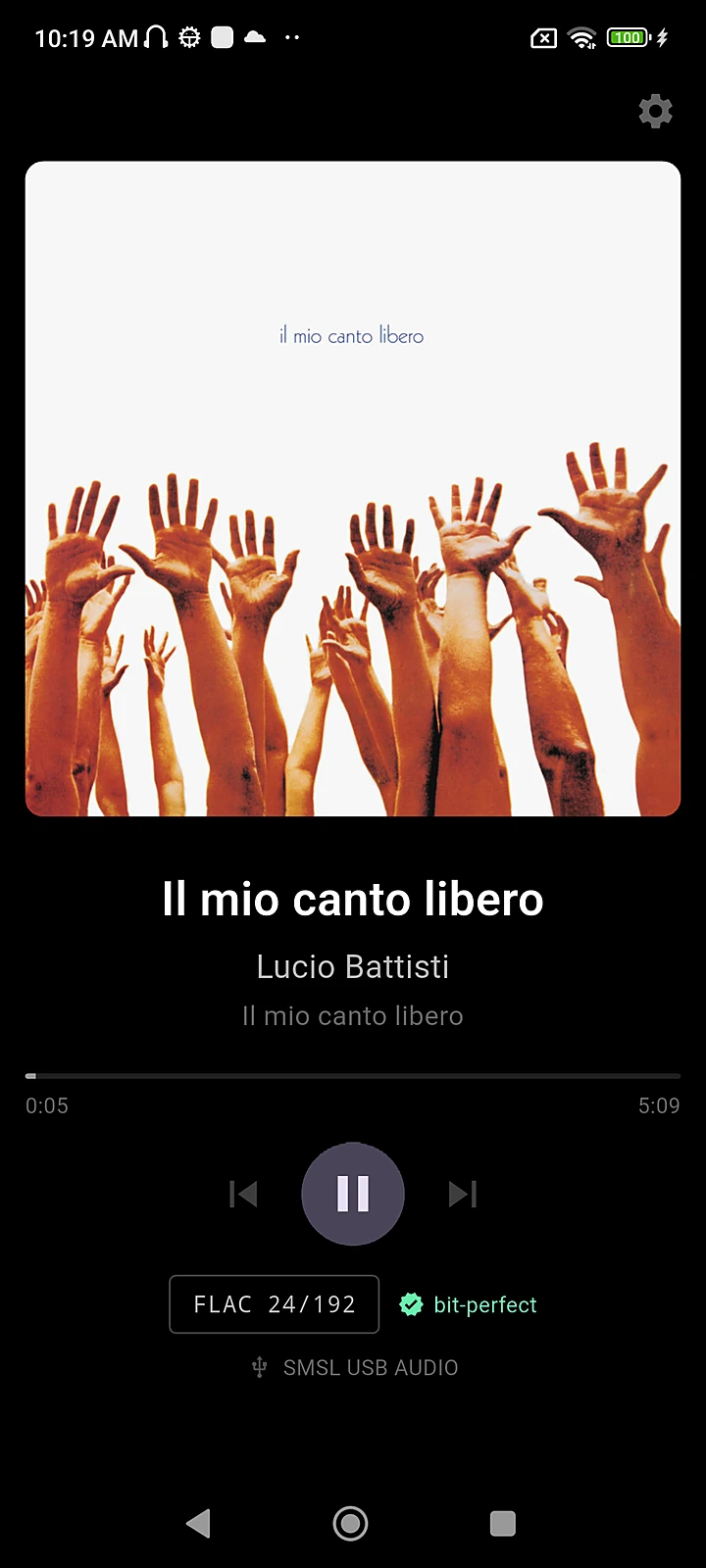
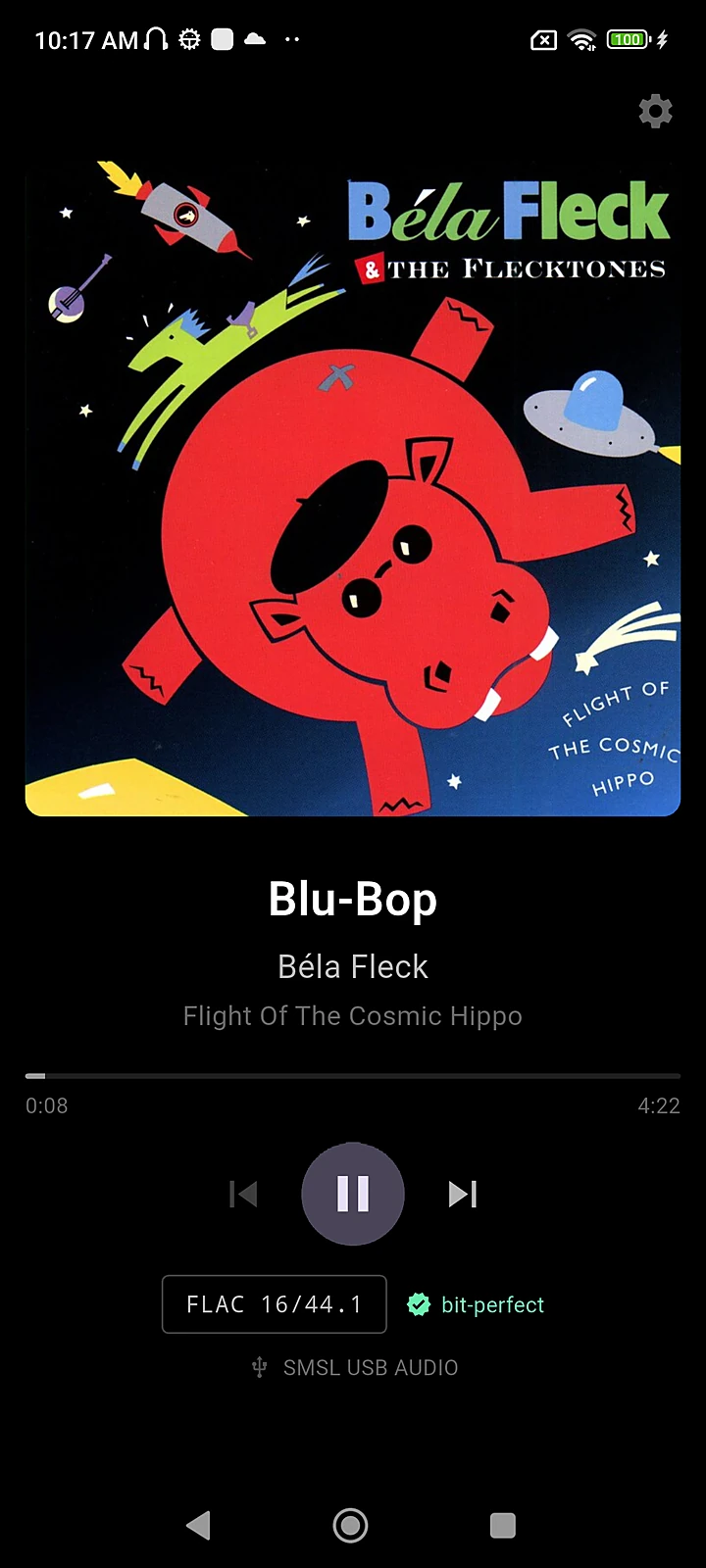
Turn a spare Android phone into a dedicated network music player. HiFi Renderer bypasses the Android audio stack and streams to your USB DAC at the file's own sample rate and bit depth. Nothing is resampled, remixed or volume‑scaled on the way.
- FLAC
- WAV
- AIFF
- MP3
- AAC
- LPCM
- DSD64
- DSD128
- DSD256
No account · No ads · No analytics · Nine languages
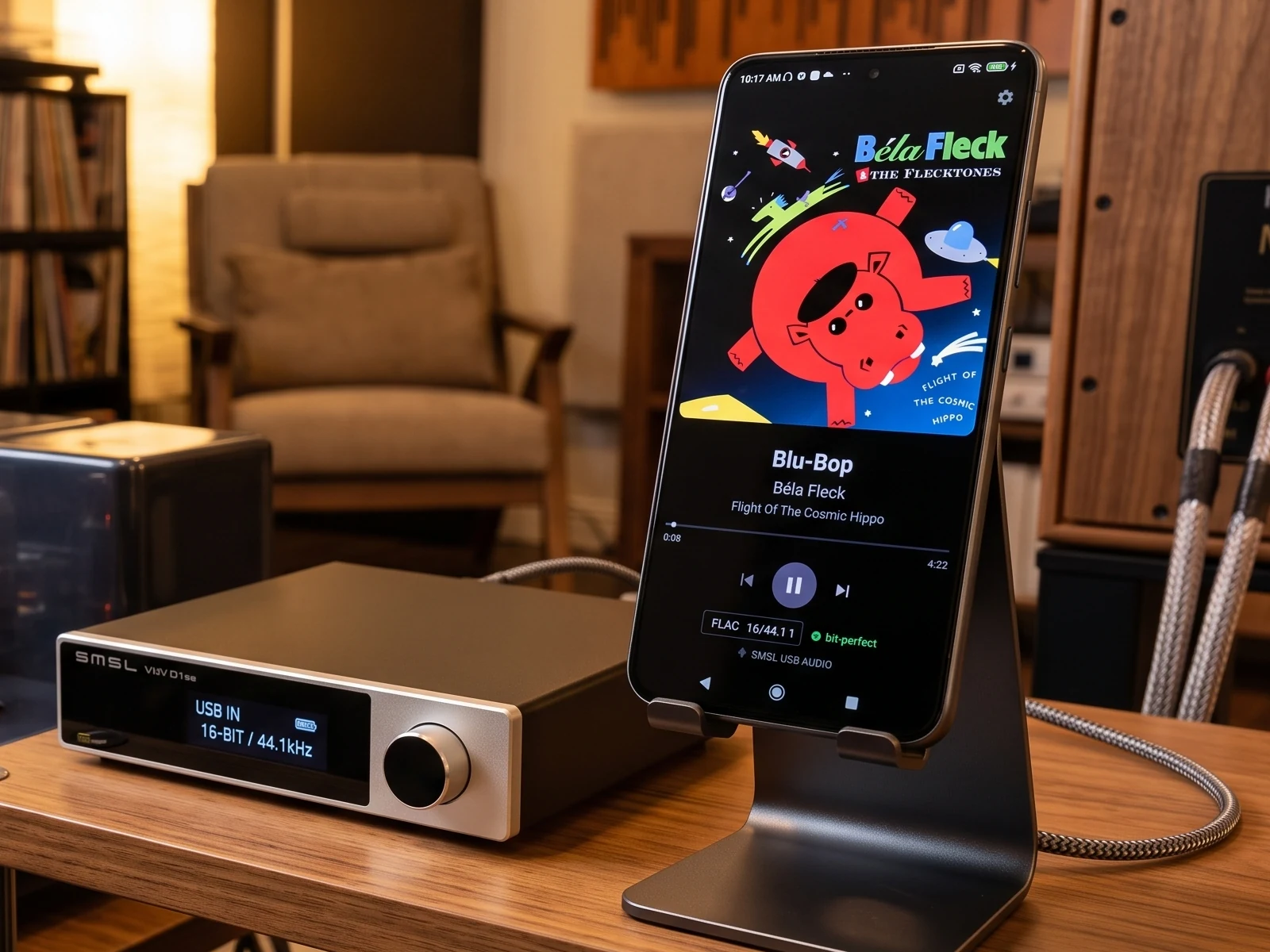
The Android mixer is out of the path
A phone normally resamples everything through the Android audio mixer, so it can't act as a hi‑fi source. HiFi Renderer talks to your DAC over raw USB instead. Point a DLNA or OpenHome controller at it, press play, and the music goes from your server to your DAC untouched.
With OpenHome, the renderer holds the playlist itself — close the controller or take your phone out of the house, and the music keeps playing.
Built for one job, and nothing else
Native rate, always
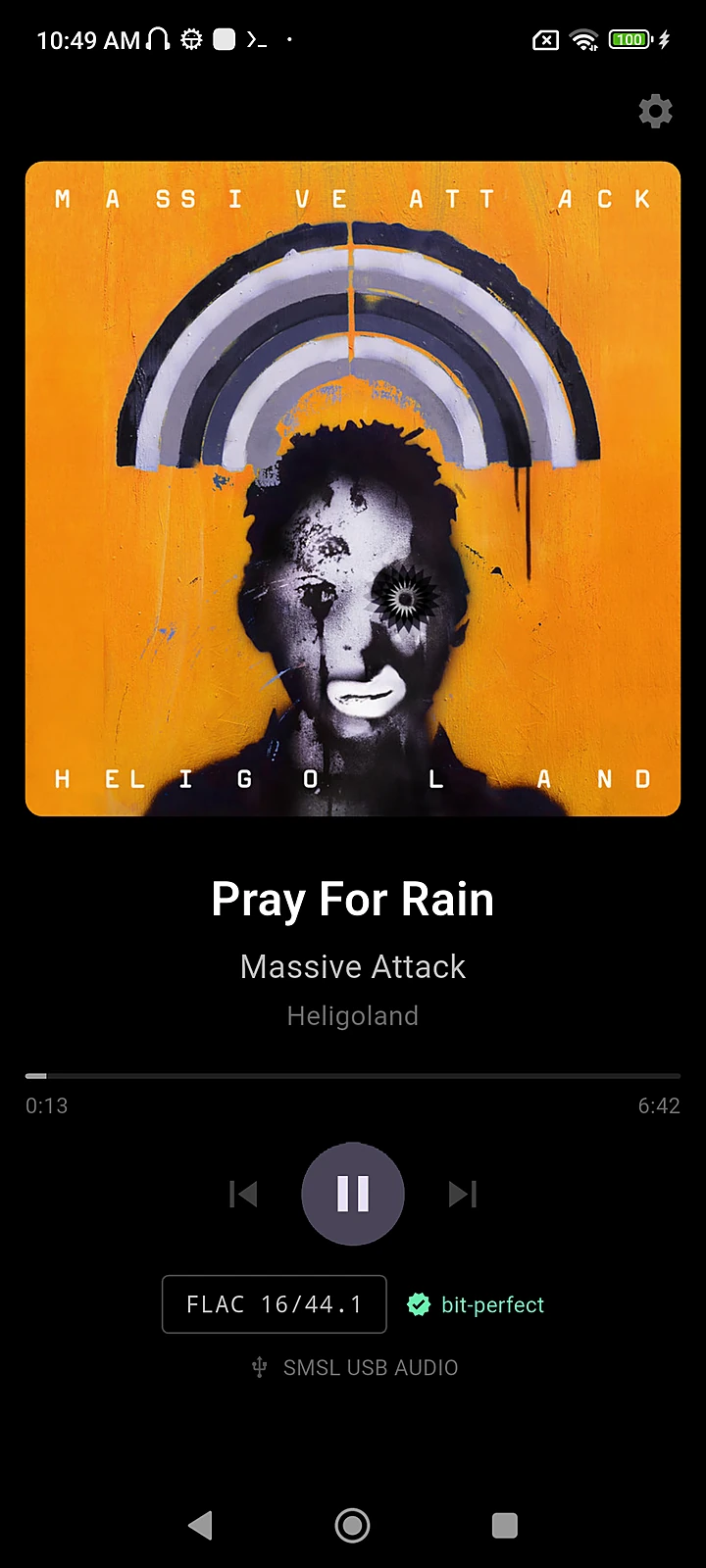
Plays at the file's own sample rate and bit depth to class‑compliant USB Audio Class 1.0 and 2.0 DACs. No resampling, ever.
Native DSD via DoP
DSD64, DSD128 and DSD256 from DSF and DFF files, sent as DSD over PCM. The DSD bits arrive untouched — never converted to PCM.
DLNA, UPnP & OpenHome
Works with the controllers and media servers you already use. Gapless between tracks at the same rate; pause, repeat, shuffle and seeking.
Volume per DAC
Hardware volume where your DAC supports it, remembered separately for each DAC you plug in.
Always on
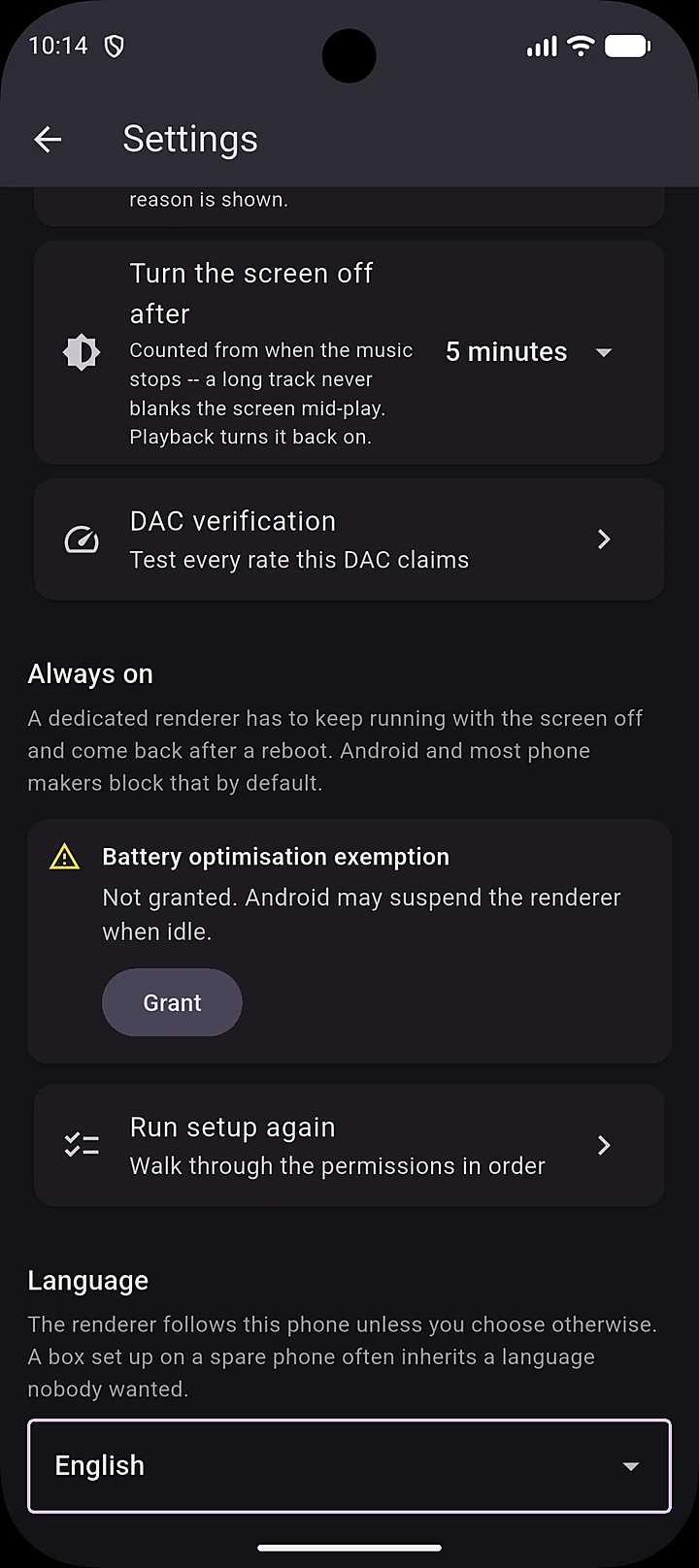
Starts at boot and stays up. The screen blanks when idle and wakes when the music starts. Home‑screen widget with artwork and current format.
Nine languages
English, Español, Português, Français, Deutsch, Italiano, 日本語, 한국어 and 简体中文 — following your phone, or one you pick.
And it tells you the truth
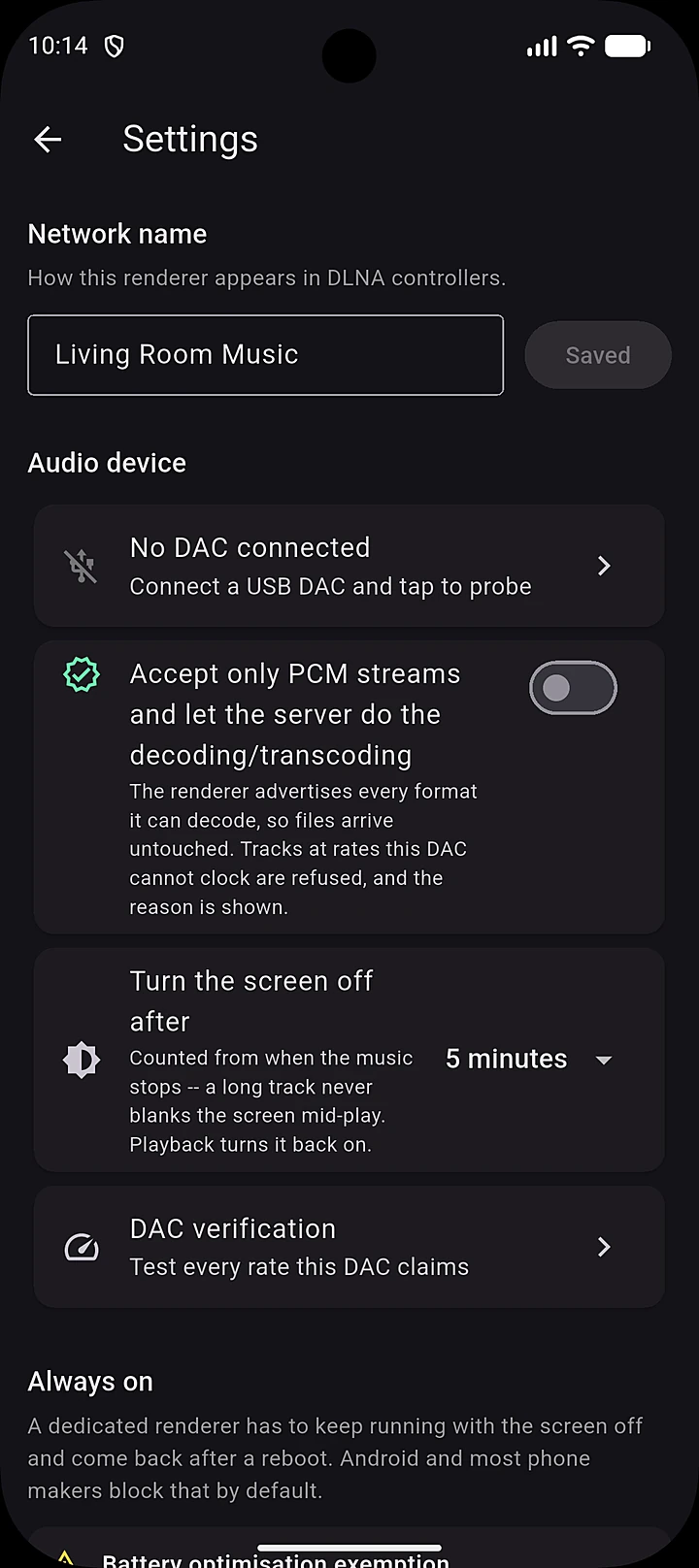
Manufacturer documentation is often silent about what decides whether a track will actually play. HiFi Renderer reads your DAC's own USB descriptors and reports, in plain language, what it really supports.
- Sample rates, bit depths, and whether volume can be controlled from the phone at all.
- If a track is outside what your DAC can do, the app says so and declines it, naming the rate involved. It will never quietly resample to make something fit.
- Nothing is hard-coded for particular models. Unfamiliar hardware is described, not guessed at.
Test what your DAC does, not what it claims
A sweep plays every rate the device advertises and confirms it genuinely locks to each one. A stability soak holds a single rate for 10, 30 or 60 minutes.
Both report underruns and per‑packet errors as a pass/fail table you can copy and share. The report covers the digital path only: if it passes and something still sounds wrong, the data reached your DAC intact and the problem lies after conversion.
| Rate | Format | Errors | Result |
|---|---|---|---|
| 44.1 kHz | 24-bit | 0 | PASS |
| 48 kHz | 24-bit | 0 | PASS |
| 96 kHz | 24-bit | 0 | PASS |
| 176.4 kHz | 24-bit | 0 | PASS |
| 192 kHz | 24-bit | 0 | PASS |
| 352.8 kHz | 32-bit | 0 | PASS |
| 384 kHz | 32-bit | 0 | PASS |
Guests welcome. You always know what you're hearing.
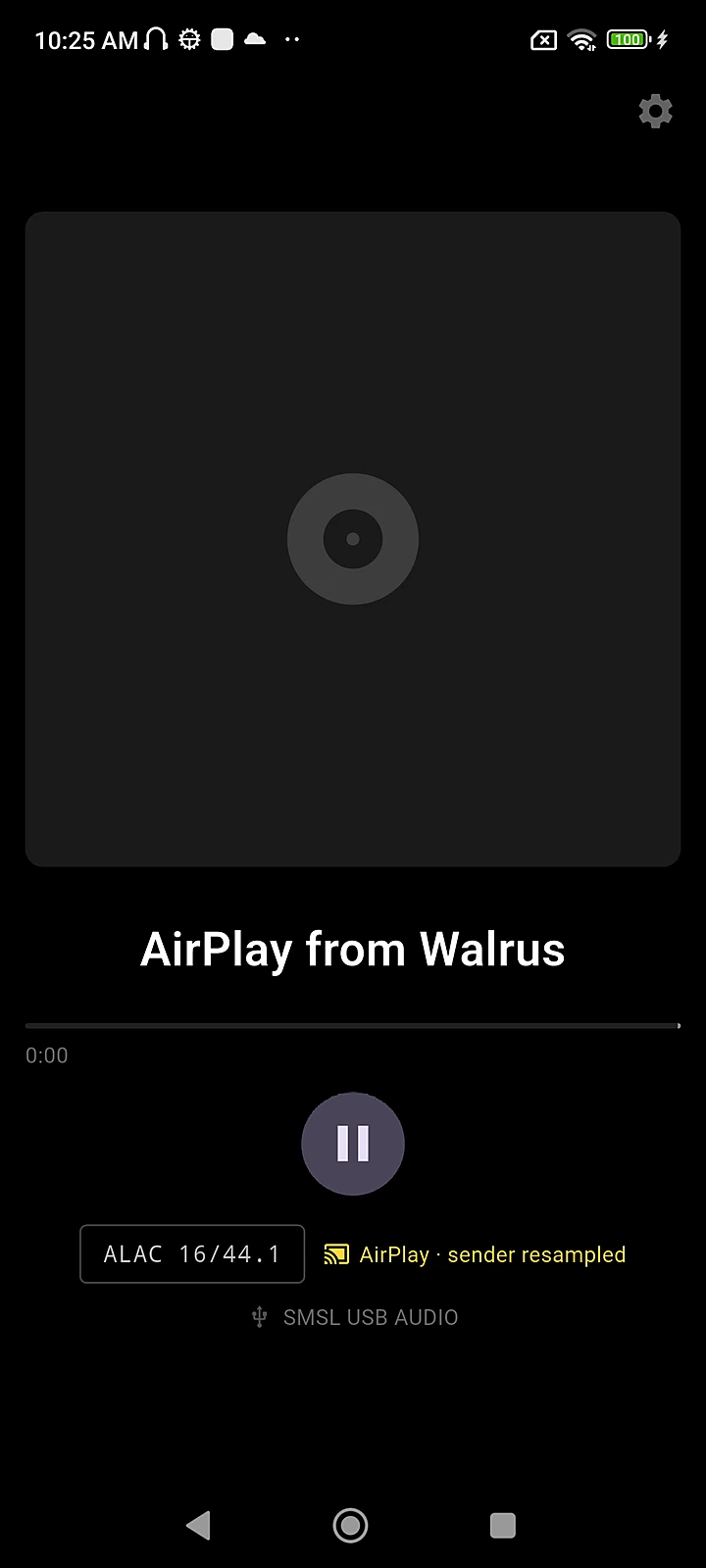
A visitor can send audio from an Apple phone, tablet or laptop without installing anything or learning what DLNA is.
- Guest path: lossless but fixed at 44.1 kHz / 16‑bit, so it's labelled on screen as not bit‑perfect. Your own listening is unaffected.
- No DAC attached? It still plays through the phone's own output, and marks itself as not bit‑perfect.
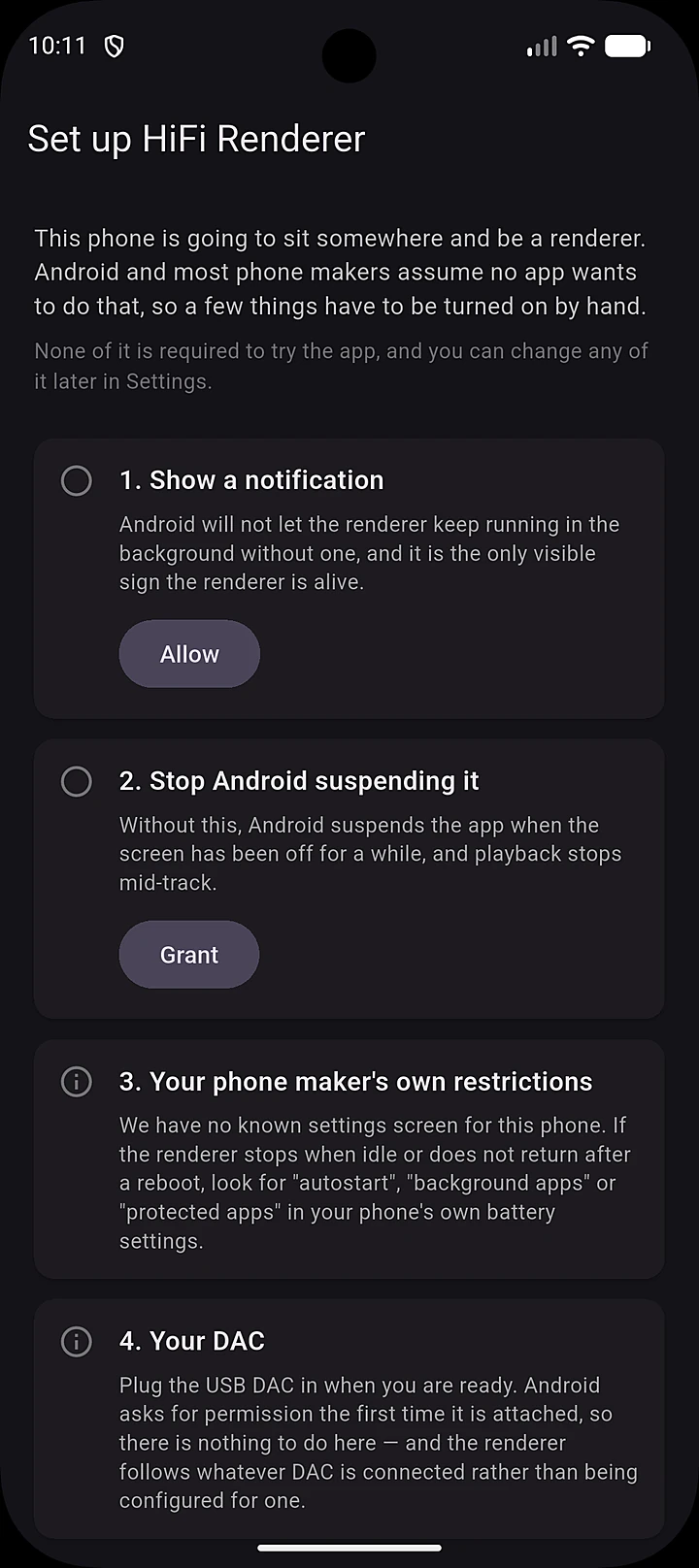
Simple on the surface
Requirements
On Xiaomi, Huawei and some other brands, starting at boot needs an autostart permission that only you can grant. The first‑run setup names the screen it lives on.
Private by design. No account, no ads, no analytics. HiFi Renderer requests no permission to your storage, contacts or location. The optional microphone permission only stops Android asking about the DAC every time it's switched on — the app never records. Privacy policy →
Give that spare phone a new job
Bit-perfect network playback to your USB DAC. Free on Google Play.